

Why an ESIM Card Is the Smarter Choice for Modern Connectivity
Have you ever wished for a phone that lets you switch mobile carriers without swapping a physical chip? An eSIM is a built-in digital SIM that stores your network profile directly on your device, enabling activation by scanning a QR code or using an app. This embedded technology allows you to hold multiple plans simultaneously and quickly toggle between them for travel or work. The key advantage is instant connectivity without needing a plastic card.
What Is an Embedded SIM and How It Works
An embedded SIM, or eSIM card, is a tiny chip permanently soldered inside your phone or smartwatch. Unlike a plastic SIM you pop in, you can’t physically remove it. Instead, an eSIM works by letting you download a digital profile from a carrier. You scan a QR code or use an app to activate a plan, and the profile gets stored on the chip. This lets you switch carriers or add a second line without hunting for a physical card. The chip itself stores multiple profiles, but only one can be active at a time, unless your device supports dual eSIMs. It’s that simple—no slot, no swapping, just software. The process is instant, secure, and frees up space for bigger batteries or slimmer designs.
Defining the digital SIM: a chip built into your device
An embedded SIM, or eSIM, is not a removable card but a dedicated chip soldered directly onto your device’s motherboard. This digital SIM is a tiny, reprogrammable integrated circuit that permanently replaces the physical plastic tray and copper contacts. To activate it, you simply download a carrier profile—a secure software package—which is then written directly onto this onboard chip. The process involves three clear steps: first, you select a mobile plan from a supported carrier; second, you scan a QR code or use an app to initiate the profile download; third, the chip securely stores this digital credential, instantly linking your device to the network without inserting any physical card.
- Locate the eSIM activation option in your device settings.
- Scan the QR code provided by your carrier or download their app.
- Confirm the profile installation; the chip immediately activates on the network.
How activation differs from a physical SIM card
Activating an eSIM skips the wait for a plastic card to arrive. Unlike a physical SIM, which requires you to insert a tiny chip into a slot, an eSIM is activated instantly by scanning a QR code or downloading a carrier profile. This process is entirely digital, so there is no fumbling with a SIM tray or risk of losing the card. The key difference is that activation is a software-driven process that can be completed in seconds, often allowing you to switch carriers or add a data plan while already abroad, without ever handling physical hardware.
Remote provisioning explained in simple terms
Instead of inserting a physical SIM card, remote provisioning is how your device downloads and activates a mobile plan over the internet. When you scan a QR code or tap a link from your carrier, the eSIM securely fetches the profile, which contains your phone number and data settings. This process removes the need to wait for a mailed card. It fundamentally acts as a secure, over-the-air handshake between your device and the carrier’s server. The operation is instantaneous because your device contains a blank eSIM chip that is permanently soldered in, ready to accept these remote instructions. This makes switching carriers or adding a second line as simple as a few taps on your screen. Remote eSIM provisioning therefore replaces physical logistics with digital delivery.
Compatible devices and operating systems
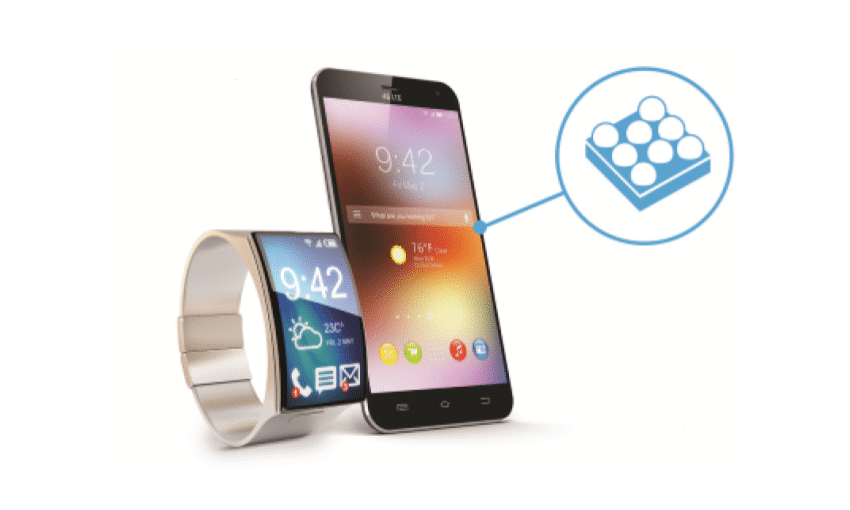
Compatible devices must incorporate an embedded SIM (eSIM) chip, typically found in flagship smartphones like the iPhone 14 (U.S. models) and Google Pixel 7 series, as well as high-end tablets such as the iPad Pro and Surface Pro X. Operating systems including iOS 12.4 or later and Android 9.0 or newer support eSIM profile management, though carrier approval remains mandatory. Laptops with Windows 10 1703+ also integrate this technology. Always verify direct carrier compatibility before purchase.
eSIM works only on devices with embedded hardware and OS versions that natively manage mobile profiles, such as iOS 12.4+ or Android 9+.
Key Advantages Over Traditional Plastic SIM Cards
The biggest practical win of an eSIM is that you never need to fiddle with a tiny plastic card. Switching carriers or adding a new line happens in seconds through a settings menu, not by hunting for a SIM eject tool or worrying about losing the tiny chip. This instant carrier switching is a game-changer for frequent travelers, letting you buy and activate a local data plan before you even land. You also free up the physical SIM tray, enabling dual SIM functionality on a single device—keeping your home number active while using a local eSIM for data. No more damaged or worn-out cards to replace, just a digital profile that stays safe even if you lose your phone.
Switching carriers without swapping a tiny chip
Switching carriers without swapping a tiny chip is the definitive convenience of eSIM, eliminating the physical delay of waiting for a plastic SIM to arrive or finding a tool to pop out the tray. Instead of handling a fragile nano-SIM, you simply select a new plan from a provider’s app or scan a QR code, activating service in minutes. This instantaneous carrier switching frees you from being locked to one operator’s physical network; you can jump to better coverage or pricing as needed, wherever you are. No longer does changing providers demand a trek to a store or a frustrating scramble to retrieve a slipped SIM card. The entire process becomes a digital, on-demand action that puts you in control.
Dual SIM capabilities for work and travel
Dual SIM via eSIM makes juggling work and travel seamless. You can keep your personal number active while adding a local travel eSIM for data, avoiding roaming fees. For business trips, simply separate work and personal lines effortlessly without swapping physical cards. Setting it up is straightforward:
- Purchase a travel eSIM plan for your destination.
- Activate it in your phone’s settings alongside your primary line.
- Assign work contacts to one number and travel data to the other.
This lets you take work calls on your main line while using local data for maps and messaging abroad.
Enhanced security against theft or loss
An eSIM eliminates the physical SIM card that can be stolen from a device. If your phone is lost, you can remotely disable the eSIM profile via your carrier’s app or online portal, severing access to your mobile number and data instantly. This prevents thieves from using the SIM for two-factor authentication bypasses or fraudulent calls. Unlike a plastic card that requires a replacement PIN, remote eSIM deactivation offers immediate control. There is no component to extract, reducing the risk of identity theft through your SIM.
Enhanced security against theft or loss stems from the eSIM’s inability to be physically removed, combined with instant remote deactivation to block unauthorized use of your mobile identity.
Saving space inside modern smartphones and wearables
The biggest win of an eSIM is how it frees up vital room inside your phone or smartwatch. Without a physical plastic tray and card, manufacturers can use that space for a larger battery, better speakers, or extra sensors. This is especially crucial for wearables like smartwatches, where every millimeter counts. By removing the SIM slot, designers can make devices thinner or pack in more features without increasing size. This reclaimed real estate directly contributes to better performance and longer battery life.
- Phone makers gain internal volume for components like bigger batteries or cooling systems.
- Wearables stay compact and lightweight while still supporting cellular connectivity.
- Devices can have stronger waterproofing since there’s no removable tray opening.
How to Get and Activate Your First Virtual SIM
You just landed in a new city, and your physical SIM tray is empty. To get your first virtual SIM, you grab your phone—any recent model with eSIM card support—open its settings, and tap “Add Cellular Plan.” Your phone scans a QR code from the carrier email you received, instantly downloading your digital line. No physical plastic; it activates within minutes. You toggle “Enable as Primary” and your new number rings live on the virtual SIM, ready for local calls and data without hunting a store.
Choosing a provider that supports remote profiles
When choosing a provider for your first eSIM, prioritize those that explicitly support remote profile downloads. This feature eliminates the need for a physical card by allowing you to install a carrier profile directly from the provider’s app or website using a QR code or activation link. Verify the provider is compatible with your device’s IMEI, as not all handsets support remote provisioning. Also, check if the provider offers an eSIM profile that can be installed over Wi-Fi before you leave your home network.
Q: How critical is remote profile support when selecting an eSIM provider?
A: It is essential. Without remote profile support, you cannot download and activate the eSIM without visiting a physical store or inserting a physical SIM first, defeating the primary convenience of an eSIM.
Steps to install a new plan via QR code or app
To install a new eSIM plan, first ensure your device is connected to Wi-Fi. If using a QR code, open your device’s Settings, navigate to “Cellular” or “Mobile Data,” and select “Add Cellular Plan.” Scan the provided QR code with your camera, then follow on-screen prompts to confirm and activate the plan. Alternatively, within your carrier’s app, log into your account, locate the eSIM purchase or activation section, and tap “Download a New Plan.” The app will automatically detect your device and install the plan profile. Validating plan activation requires a device restart; after reboot, confirm the new line appears under your cellular settings. Q: What if scanning the QR code fails? A: Manually enter the SM-DP+ address and activation code provided by your carrier directly in the “Add Cellular Plan” screen instead.
Managing multiple profiles on one device
Managing multiple profiles on one device is a breeze with an eSIM. You can store several plans, like a work number and a personal line, without swapping physical cards. To keep things organized, just label each profile clearly in your settings. When you need to switch, it’s instant. Here’s how to switch between eSIM profiles easily:
- Open your device’s cellular settings.
- Tap the profile you want to use.
- Select “Turn On This Line” to activate it.
This lets you jump between data plans or voice lines as needed, perfect for travel or balancing different numbers on a single phone.
Common activation pitfalls and how to avoid them
A common pitfall is scanning a QR code while on Wi-Fi but without mobile data, causing setup failure. To avoid this, ensure a stable internet connection via Wi-Fi or another active SIM before scanning. Another mistake is deleting the eSIM profile prematurely during troubleshooting. Instead, first activate the new plan in phone settings under “Cellular” or “Mobile Data.” A frequent issue is incorrectly selecting data roaming options; activate roaming for the eSIM line only, not your home line. If activation still fails, restart the device to refresh network registration. Always verify compatibility by checking your device’s IMEI with the provider beforehand.
- Confirm a stable internet connection before scanning the QR code.
- Enable data roaming exclusively for the new eSIM line.
- Restart the phone if activation fails after scanning.
Best Use Cases for Travelers and Digital Nomads
For travelers and digital nomads, the primary use case for an eSIM is maintaining seamless, multi-country connectivity without physical SIM swaps. This allows you to land in a new country and automatically connect to a local network, avoiding expensive roaming fees. A key advantage is the ability to keep your home number active for 2FA codes while using a data-only eSIM for work. This flexibility extends to long-term stays, where you can purchase regional “nomad” plans covering entire continents.
Installing a global eSIM before departure eliminates the frantic search for local SIM cards upon arrival, turning a logistical burden into a background utility.
For nomads hopping between cities weekly, this instant activation and the ability to top up plans from a single app make it the most efficient connectivity tool, ensuring you’re never offline when a client calls.

Avoiding roaming fees with local data plans
For travelers and digital nomads, using local eSIM data plans is the simplest way to dodge expensive roaming fees. Instead of paying your home carrier’s daily charges, you just download a local eSIM profile before or upon arrival. This gives you access to regional rates that can be 80% cheaper. You stay connected without swapping physical SIMs or hunting for Wi-Fi hotspots.
Q: How do I avoid roaming fees with an eSIM?
A: Just buy a local data plan from an eSIM provider—like Airalo or Holafly—then activate it once you land. Your phone uses that local network, so your home carrier never gets a chance to charge you.
Preloading a profile before landing in a new country
Activating an eSIM profile before departure is the single most practical step for seamless connectivity. Instead of hunting for local SIMs or relying on airport Wi-Fi, you install the eSIM days earlier via a QR code or app. This ensures immediate data access as you step off the plane, allowing you to use maps, ride-sharing, and messaging without a second of lag. It eliminates the stress of roaming charges and lost time in foreign queues. Preloading is the ultimate hack for instant, reliable internet the moment you land.
Preloading an eSIM profile before takeoff guarantees immediate, stress-free connectivity upon arrival, bypassing local hassles and saving critical time.
Keeping your home number active while abroad
Keeping your home number active while abroad is a lifesaver for digital nomads. With an eSIM, you can maintain your primary line for two-factor authentication without paying exorbitant roaming fees. Just set your home number’s eSIM to data-off mode and use a travel eSIM for internet. This ensures you still receive SMS codes for banking and apps.
Q: Can I receive calls on my home number while using a travel eSIM? A: Yes, if your home carrier supports Wi-Fi calling, you can take calls over the travel eSIM’s data connection—just enable it before you leave.
Top travel-friendly providers to consider
For instant connectivity, Airalo and Holafly are top travel-friendly providers for eSIMs. Airalo offers massive global coverage with cheap, data-only regional packs you top up easily. Holafly simplifies things with unlimited data plans for most countries, often including a local number. If you’re a heavy user needing speed, check GigSky for fast 5G in 190+ regions; their short-term passes are perfect for binge-working in cafes. Nomad eSIM also shines for frequent fliers, thanks to its simple app and wallet-friendly multi-country bundles that let you switch destinations without swapping SIMs.
| Provider | Best For | Key Perk |
|---|---|---|
| Airalo | Budget data across multiple countries | Easy top-ups & local plans |
| Holafly | Unlimited data abroad | Often includes a local number |
| GigSky | Fast 5G & regional coverage | Short-term high-speed passes |
| Nomad eSIM | Frequent cross-border travel | Simple multi-country bundles |
Comparing Costs: Embedded SIM vs Physical SIM Plans
When comparing costs, eSIM plans often eliminate the physical SIM card fee, while physical SIM plans may include a one-time activation or shipping charge. Data-only eSIM plans from global providers can be cheaper for short-term international travel, as they avoid roaming surcharges. For long-term use, postpaid physical SIM plans sometimes offer bundled discounts on multiple lines that eSIM plans do not match. However, a key hidden cost is flexibility: eSIM plans allow instant switching between carriers without buying a new card, saving money if you frequently change providers. Always check if your device is carrier-locked, as unlocking fees can negate any eSIM savings.
Pricing models across major carriers
Major carriers like T-Mobile, Verizon, and AT&T typically price eSIM plans identically to their physical SIM counterparts for postpaid service, with no activation fee for eSIMs. For prepaid, carriers often offer the same per-month cost regardless of SIM type. Abroad, local carrier eSIM pricing models can be more competitive for short-term data, with some charging per-GB rates up to 50% lower than major global roaming add-ons. Pay-as-you-go eSIM data packages from these majors frequently include fixed tiers like 1GB, 3GB, or 5GB without overage fees, simply cutting off at the limit. How do major carriers handle eSIM pricing for multiple lines? Most apply the same multi-line discount structure whether you use eSIM or pSIM, so switching to eSIM should not alter your plan’s base cost.
Hidden fees and data throttling differences
When comparing eSIM and physical SIM costs, hidden fees and data throttling differences can quietly inflate your bill or ruin your speed. eSIM plans from flexible providers often flaunt upfront pricing with zero activation or compliance fees, while physical SIM carriers may bury administrative charges in fine print. Throttling varies dramatically: eSIM data-only plans typically enforce strict deprioritization after a cap, cutting speeds to 128Kbps—unusable for video. In contrast, some physical SIM postpaid plans offer slower but functional 3G-style throttling. The key difference lies in transparency versus surprises.
eSIM plans usually reveal throttling thresholds upfront but often throttle harder; physical SIMs hide fees but may throttle more gracefully. Check each plan’s “fair usage” policy deeply.
Prepaid versus postpaid options for global users
For global users, prepaid eSIM plans offer upfront payment for a fixed data allowance, ideal for short trips or avoiding monthly commitments. Postpaid options, by contrast, provide usage-based billing after the month ends, suiting frequent travelers who need consistent connectivity. A key consideration is that prepaid plans minimize financial risk, as you cannot exceed your paid limit. Postpaid accounts, however, often include automatic international roaming for seamless switching between networks, but they require a credit check and lock you into a billing cycle. Global users should base their choice on travel frequency: choose prepaid for sporadic use, and postpaid for continuous global coverage.
Long-term savings for frequent travelers
For frequent travelers, long-term savings become evident when comparing physical SIMs to eSIMs. Physical SIMs often incur roaming fees for each country entry, while eSIMs allow users to purchase regional or global data bundles upfront at a fixed price, avoiding per-trip activation costs. Over several journeys, this eliminates repeated spending on temporary physical SIM cards. Additionally, eSIMs enable users to switch between providers without buying new hardware, preserving funds that would otherwise go toward multiple SIM purchases. This cumulative avoidance of transactional fees and hardware markdowns translates directly into sustained financial efficiency for high-frequency travelers.
Potential Drawbacks and Limitations to Know
One major drawback is device incompatibility, as not all phones support eSIM technology, particularly older models. Transferring an eSIM to a new phone can be less straightforward than swapping a physical SIM, often requiring a new QR code or carrier app. If your phone is lost or damaged, reactivating service without a physical card can be delayed, especially without backup internet access. Q: https://baztel.co/esim-plans/esim-japan What happens if I factory reset my phone? A: You may permanently delete your eSIM profile, requiring carrier reissuance. Network locking is another limitation, as switching carriers may be more cumbersome than simply replacing a physical SIM.
Device lock-in and carrier restrictions
One significant drawback is device lock-in, where the eSIM is permanently tied to a specific phone, making it impossible to transfer to another device without carrier intervention. Many providers embed eSIM profiles directly into the hardware, preventing you from simply swapping SIMs between phones. You might be forced to purchase a new eSIM or pay a reissue fee every time you upgrade your handset. Carrier restrictions also apply: some networks lock the eSIM to their service for a contract period, blocking you from switching providers freely.
Can I move my eSIM to another phone without the carrier’s help? Usually no—most carriers require you to delete the eSIM from the old device and request a new activation code for the new one, which can be inconvenient if your phone is lost or broken.
Limited support on older or budget phones
For users with older or budget phones, eSIM phone compatibility remains a primary barrier. Many legacy models lack the necessary hardware, while budget devices often omit eSIM to reduce costs. A phone purchased just two or three years ago may not support it, forcing reliance on physical SIMs. This limitation can restrict access to eSIM-only plans or dual-SIM flexibility, as you cannot simply download a carrier profile onto incompatible hardware. Before switching, you must verify your specific model, as even some mid-range phones from recent years omit eSIM support entirely.
- Older flagship phones (e.g., from 2019) often lack eSIM hardware, despite being otherwise functional.
- Budget models typically exclude eSIM to keep production costs low, even in current releases.
- Carrier-locked or region-specific variants may disable eSIM capabilities entirely.
- No firmware update can add eSIM support if the phone lacks the required chip.
Complexity of transferring between devices
Transferring an eSIM between devices introduces unexpected procedural complexity compared to swapping a physical SIM. The process is rarely a simple software toggle; it typically requires navigating carrier portals to deactivate the eSIM on the current device and generate a new activation QR code or download link for the target device. This often necessitates a stable internet connection on both devices and immediate access to your carrier account credentials. A common hurdle is that a single eSIM profile is frequently tied to one device’s IMEI, meaning a direct transfer is impossible without carrier intervention. The typical sequence is:
- Remove the eSIM profile from the original device’s settings.
- Log into your carrier account or contact support to request a new eSIM activation.
- Scan the new QR code or download the profile on the new device.
Any delay in this process can leave your line temporarily inactive, a friction point absent with physical SIMs. The risk of losing the activation token (e.g., a lost email with the QR code) further complicates cross-device mobility.
Privacy concerns with remote management
Remote management of eSIMs introduces specific privacy concerns, most significantly the potential for carrier-side location tracking. Because your eSIM can be reprovisioned or deactivated over the air without physical access, your mobile operator could theoretically monitor your profile’s active status to infer your general location or travel patterns. This remote control also creates a vector for unauthorized profile swaps if your account is compromised. Unlike a physical SIM, which you can remove to break connectivity, an eSIM profile remains linked to your device and identifiable to the carrier.

- Your carrier can see when you activate or switch profiles, revealing your usage habits.
- A hacker who gains access to your carrier account could remotely reassign your eSIM to their device.
- If your phone is lost, remote deactivation can prevent misuse, but also exposes your profile data to carrier systems.
- Automatic network scans by your device, triggered remotely, can leak cell-tower proximity data.
Future Trends in Embedded Connectivity
Future trends in embedded connectivity will push eSIMs into a universal standard, making seamless global roaming a default feature rather than a paid add-on. Your phone will auto-negotiate with local networks in real-time, eliminating the need to swap physical cards when traveling. This technology will enable devices like laptops and smartwatches to maintain their own independent cellular links, untethered from a phone. This could eventually make the concept of a “home carrier” feel more fluid than fixed, as profiles switch based on signal strength or cost without your input.
Integration into laptops, tablets, and smartwatches
As eSIM tech spreads, your laptops, tablets, and smartwatches can finally ditch Wi-Fi dependence. A laptop with an embedded eSIM lets you instantly buy a data plan for remote work, no hunting for hotspots. Tablets become always-connected entertainment hubs, streaming on the go without a phone tether. Smartwatches gain true independence, taking calls or streaming music via standalone cellular while your phone stays home. Switching between devices is seamless—your plan lives in the eSIM, not in a physical tray. No more fumbling with nano-SIMs across three gadgets.
Integration into laptops, tablets, and smartwatches means instant, always-on connectivity without phone tethering, physical SIM swaps, or hunting for Wi-Fi.
IoT applications and machine-to-machine communication
eSIMs are the backbone of seamless machine-to-machine communication, enabling IoT applications to operate without physical SIM swaps. In smart agriculture, sensors transmit soil data directly to cloud platforms via eSIM profiles that switch networks automatically as drones move across regions. Fleet management uses this to keep logistics trackers connected across borders, while industrial machinery performs predictive maintenance by relaying performance metrics in real time. This eliminates downtime from manual provisioning. Remote device provisioning allows a single eSIM to manage hundreds of sensors, updating connectivity profiles over the air. Q: How does an eSIM improve IoT reliability? A: It lets devices switch between carrier profiles automatically, ensuring uninterrupted machine-to-machine communication even when primary networks fail.
Evolving standards for global interoperability
Evolving standards for global interoperability are fundamentally reshaping how eSIM profiles are provisioned and activated across diverse network operators. The GSMA’s SGP.32 specification now enables a seamless remote SIM provisioning flow that bypasses traditional carrier lock-in, allowing a single eSIM to switch between multiple mobile networks without physical replacement. Cross-platform profile management is advancing through standardized APIs that let devices authenticate and download profiles from any compliant operator in real-time. Yet, fragmented implementation of these protocols across different device OEMs still creates occasional handshake failures, particularly when roaming between regions with incompatible profile container formats. This convergence demands that future eSIM hardware embed universal cryptographic modules for trust verification, ensuring a profile from one ecosystem operates identically under another’s network rules.
Predictions for a fully SIM-less mobile experience
The fully SIM-less mobile experience predicts a future where device identity is directly embedded into the system-on-chip, eliminating any removable or programmable card slot. This evolution means users will activate or switch carriers through a universal cloud portal, bypassing QR codes or manual eSIM downloads. Seamless carrier switching will occur in real-time via a single interface, with the device intelligently selecting networks based on signal strength or cost preference. Physical SIM failure as a troubleshooting concept will become obsolete. Verification of new plans will happen through biometric confirmation on the device, not a network push. This architecture predicts zero physical swapping, as all profiles exist as virtual data within the modem’s firmware.
What Exactly Is an Embedded SIM and How Does It Work?
The Core Technology Behind the Digital SIM
How Remote Provisioning Replaces Physical Plastic
eSIM vs. Traditional SIM: Key Functional Differences
How to Activate and Set Up Your Digital SIM Profile
Step-by-Step Guide to Installing Your First Profile

Switching Carriers Without Swapping Cards
Managing Multiple Plans on a Single Device
Key Benefits of Using a Built-In SIM for Travelers
Avoid Roaming Fees by Adding Local Plans Instantly
Keeping Your Home Number Active While Abroad
No Need to Hunt for Physical SIM Stores
Choosing the Right Digital SIM Plan for Your Needs
Data-Only vs. Voice-and-Data Plans: What to Pick
